
Yes! Our plugin provides a seamless way to automate the process, allowing a product to transition to Discontinued as soon as its stock reaches zero. This ensures your store catalog remains accurate without requiring manual updates.
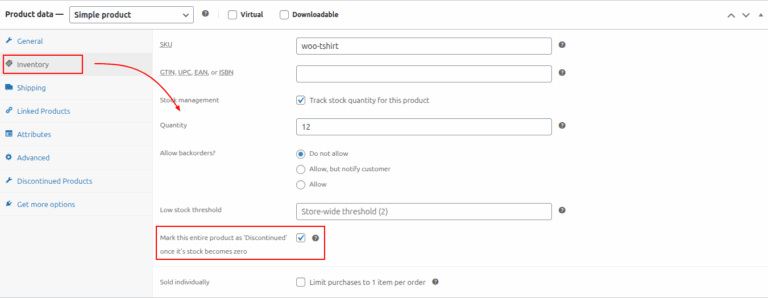
Within the Product Data metabox on the product edit page, navigate to the Inventory tab. When “Track stock quantity” is enabled, you’ll see the option:
“Mark this entire product as ‘Discontinued’ once its stock becomes zero.”
Enabling this setting allows your products to update automatically, maintaining a smooth shopping experience for your customers and keeping your catalog up-to-date.
For further guidance on this feature, refer to the article Setting a Product as Discontinued.