
In FBT you can customize how course and product information is displayed in the FBT widget. Choose the thumbnail source, enable or disable additional course details like skills, authors, and descriptions, and select the preferred rating source for the course section.
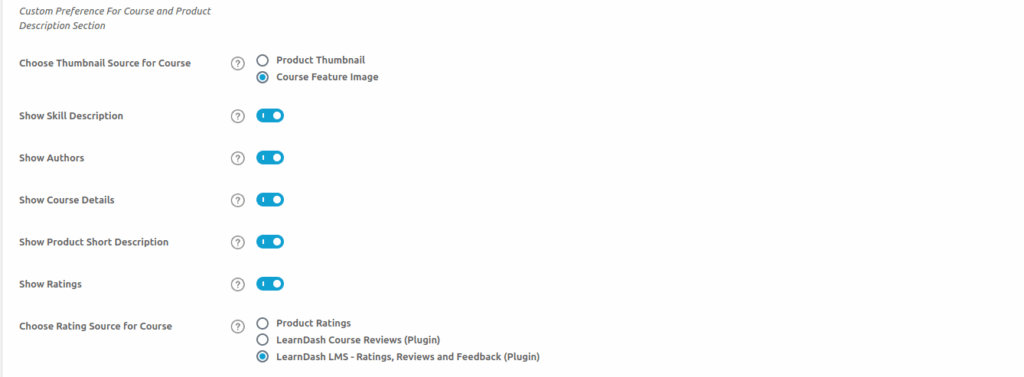
- Choose Thumbnail Source for Course
Select the image source to be shown in the FBT widget.- Product Thumbnail (EDD/WooCommerce) will display the product image.
- Course Feature Image will display the course’s featured image.
- Show Skill Description
If you enable this setting, then skill description from course description metabox will be added in FBT widget. - Show Authors
If you enable this setting, then authors value from course description metabox will be added in FBT widget. - Show Course Details
If you enable this setting, then course details value from course description metabox will be added in FBT widget. - Show Product Short Description
If you enable this setting, the product short description from the “Product Short Description” metabox (WooCommerce) or “Excerpt” metabox (EDD) will be added in FBT widget. - Show Ratings
If you enable this setting, ratings will be displayed on the Frequently Bought Together (FBT) widget. - Choose Rating Source for Course
Select the plugin to fetch course rating data.
-
- Product Ratings (EDD/WooCommerce)
- LearnDash Course Reviews
- LearnDash LMS – Ratings, Reviews and Feedback
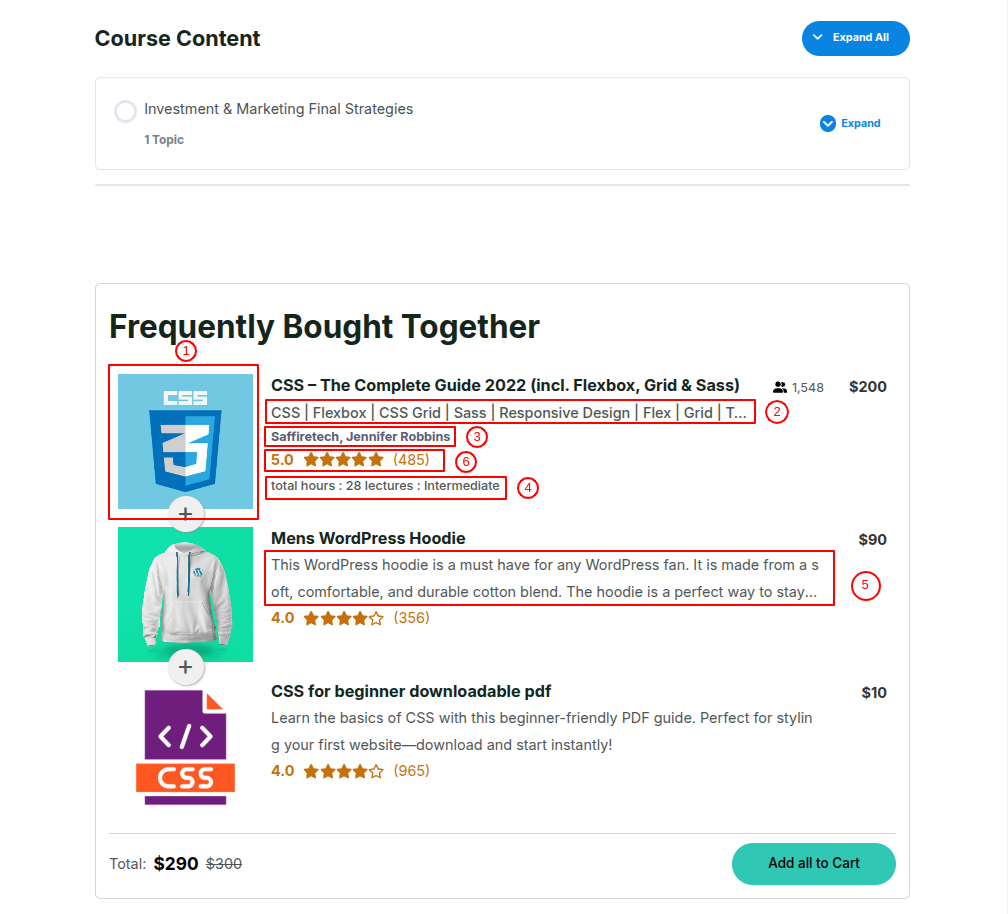
These controls determine which course details appear in the FBT widget.
This explains how different configuration settings affect the appearance of the FBT widget. Depending on your selections, the widget can display elements such as the course thumbnail, author name, skill description, course details, product short description, and ratings. These details are dynamically sourced from LearnDash or WooCommerce/EDD based on your setup.

Reset Course and Product Description Metabox Fields On Plugin Deactivation
If you enable this setting, then course and product description metabox values will reset on frequently bought plugin deactivation.