
If you want to target only learners who aren’t part of any LearnDash group, the plugin makes this really simple using the Student Filter.
When creating your notification:
- Select the Individual filter mode.
- Enable the option: Exclude Students Belonging to Any Group
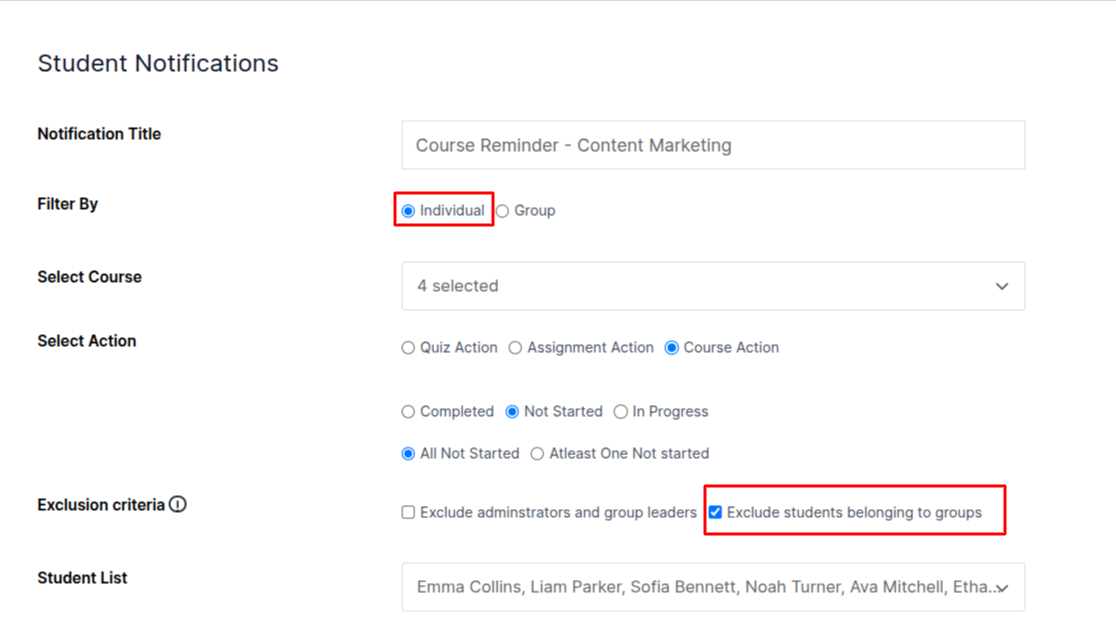
This lets you send emails to:
- All students who haven’t started
- Students currently stuck (in progress)
- Students who have not completed all selected courses
Perfect for reminders and follow-ups.