
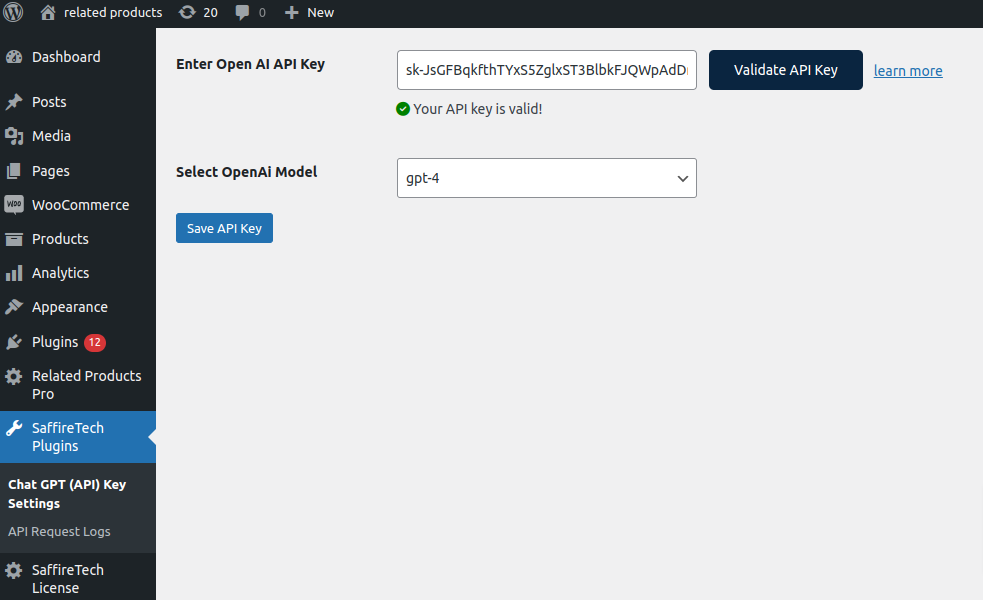
After installing the Related Products Pro for WooCommerce plugin, follow these steps to validate your OpenAI API key:
- Go to your WordPress Dashboard → SaffireTech Plugins → Chat GPT (API) Key Settings.
- Enter your saved OpenAI API Key.
- Click the “Validate API Key” button.
- The system will check your key and display a validation message if successful.
- Choose your preferred ChatGPT model from the available options.
- Click “Save Settings” to store the API Key and selected model.