
To configure related products filter on specific product navigate to the product page -> Linked Products.
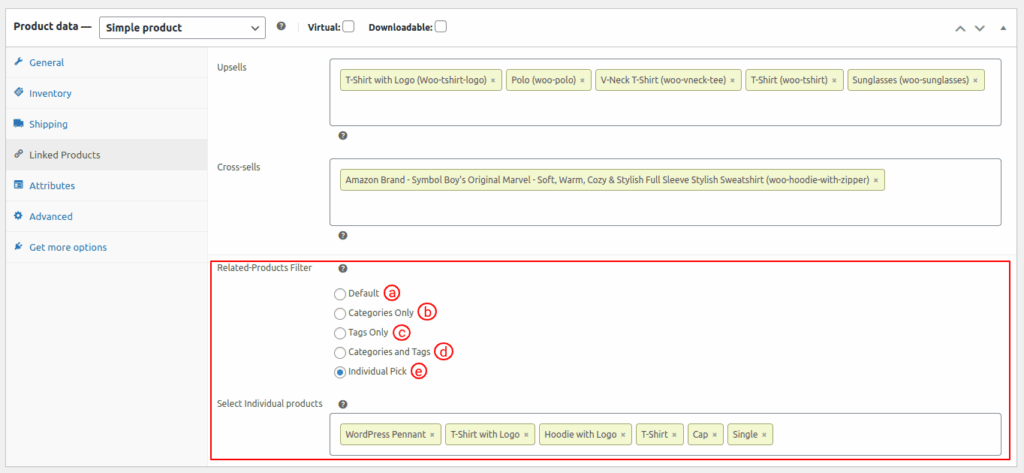
- Default: This setting is selected by default when no filter is selected initially.
- Categories only: This configuration enables admin to include or exclude multiple categories when compared to the entire range of available products.
- Tags only: This configuration enables admin to include or exclude multiple categories when compared to the entire range of available products.
- Categories and tags: This option enables a comprehensive filter, considering both categories and tags simultaneously.
- Individual pick: This feature enables administrators to selectively choose multiple products to be displayed as related products.