
If your subscription has already expired, reactivation is no longer possible — instead, you will need to renew it by purchasing again. Follow these steps to renew an expired subscription:
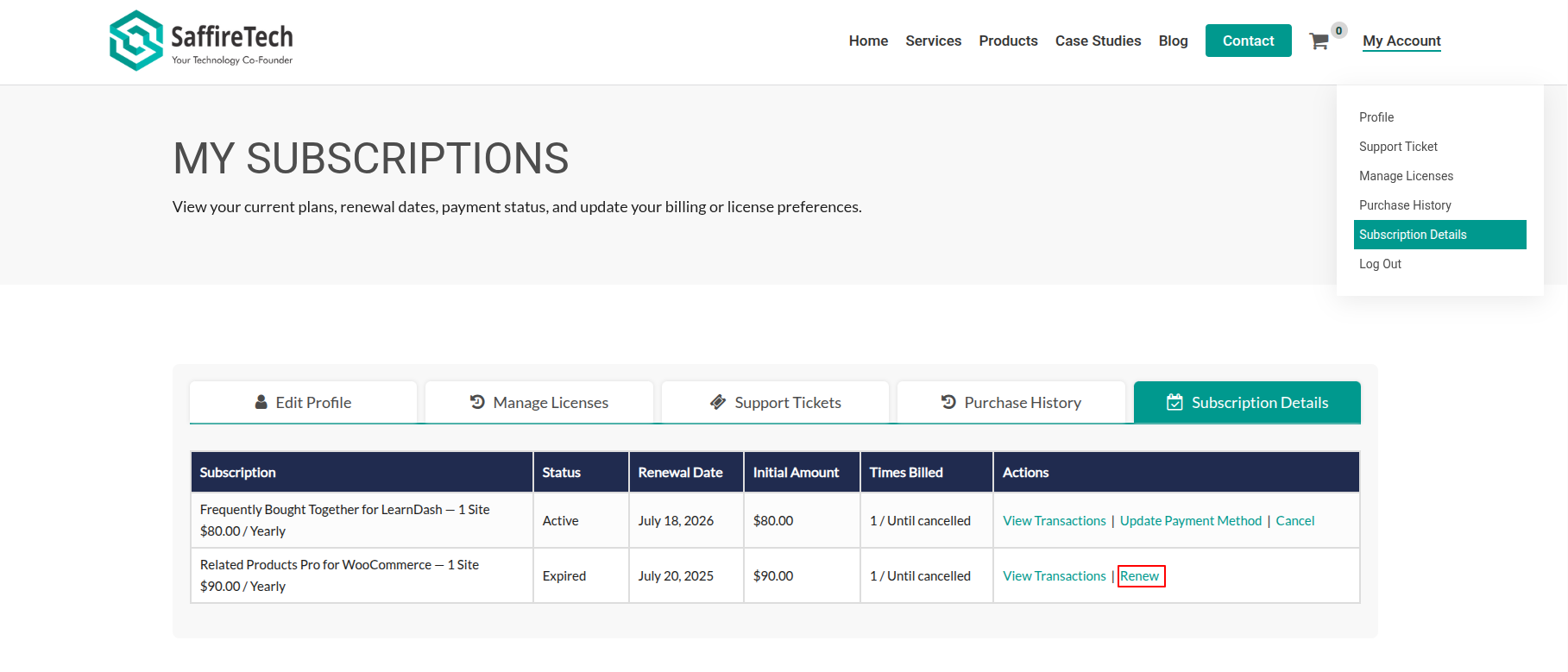
- Click on My Account at the top right corner.
- In your account dashboard, go to the Subscription Details tab.
- You will see a table listing all your subscriptions.
- In the “Action” column for the expired subscription, click on the “Renew” link (if available).
- Complete the checkout process to renew your subscription.
Note: If the “Renew” option is not visible, you may need to purchase a new subscription from the main product or pricing page.