
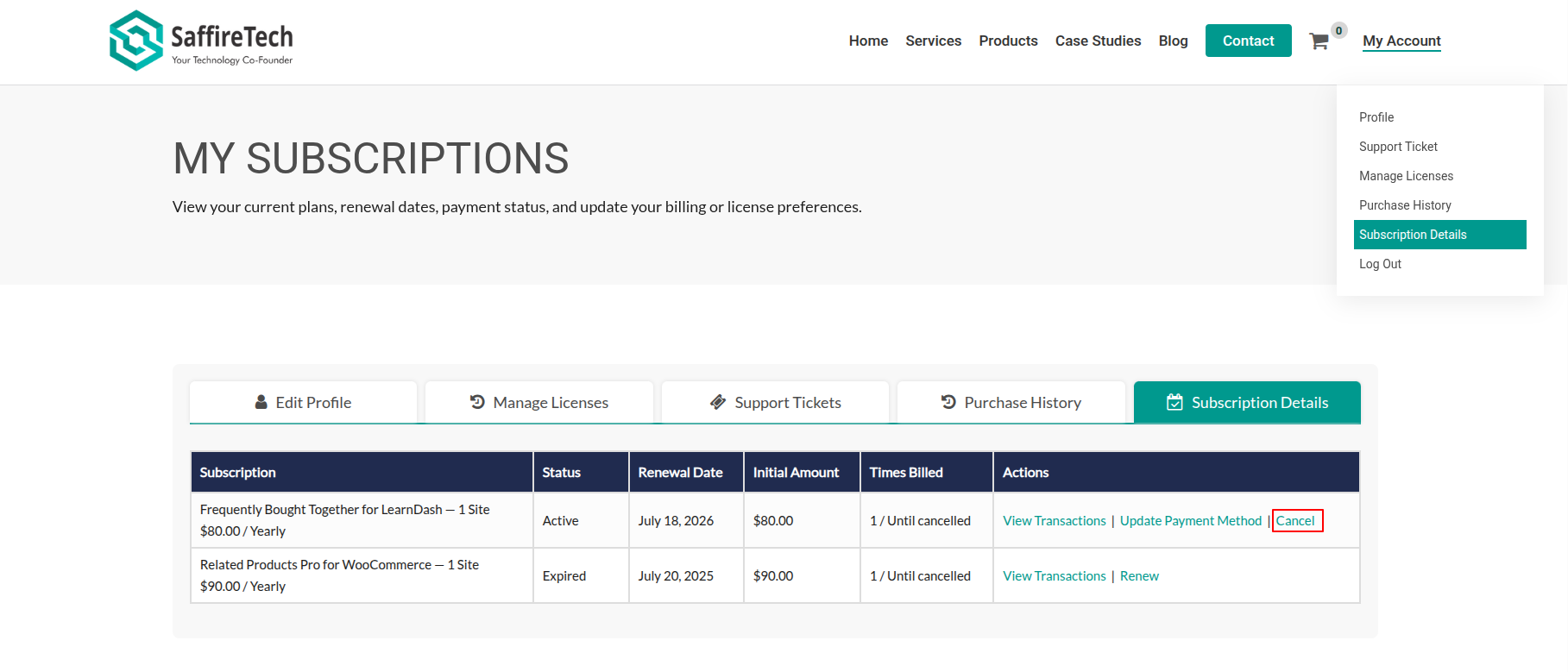
- Click on My Account at the top right corner.
- Navigate to the Subscription Details tab in your account dashboard.
- Find the subscription you want to cancel in the list.
- In the “Action” column, click on the “Cancel” link next to the subscription.
- You can reactivate your subscription after cancellation only if it has not yet expired. Learn More.